


What your Mac is doing.Right now, at a glance.
Three gauges for CPU, GPU and Neural Engine, with the heaviest processes below. Click a process to follow it up close. Close the window and MTMonitor stays ready in the menu bar.
Version 1.0 · zip for Mac · notarized by Apple · macOS 14 Sonoma or later · Mac with Apple silicon · free
01
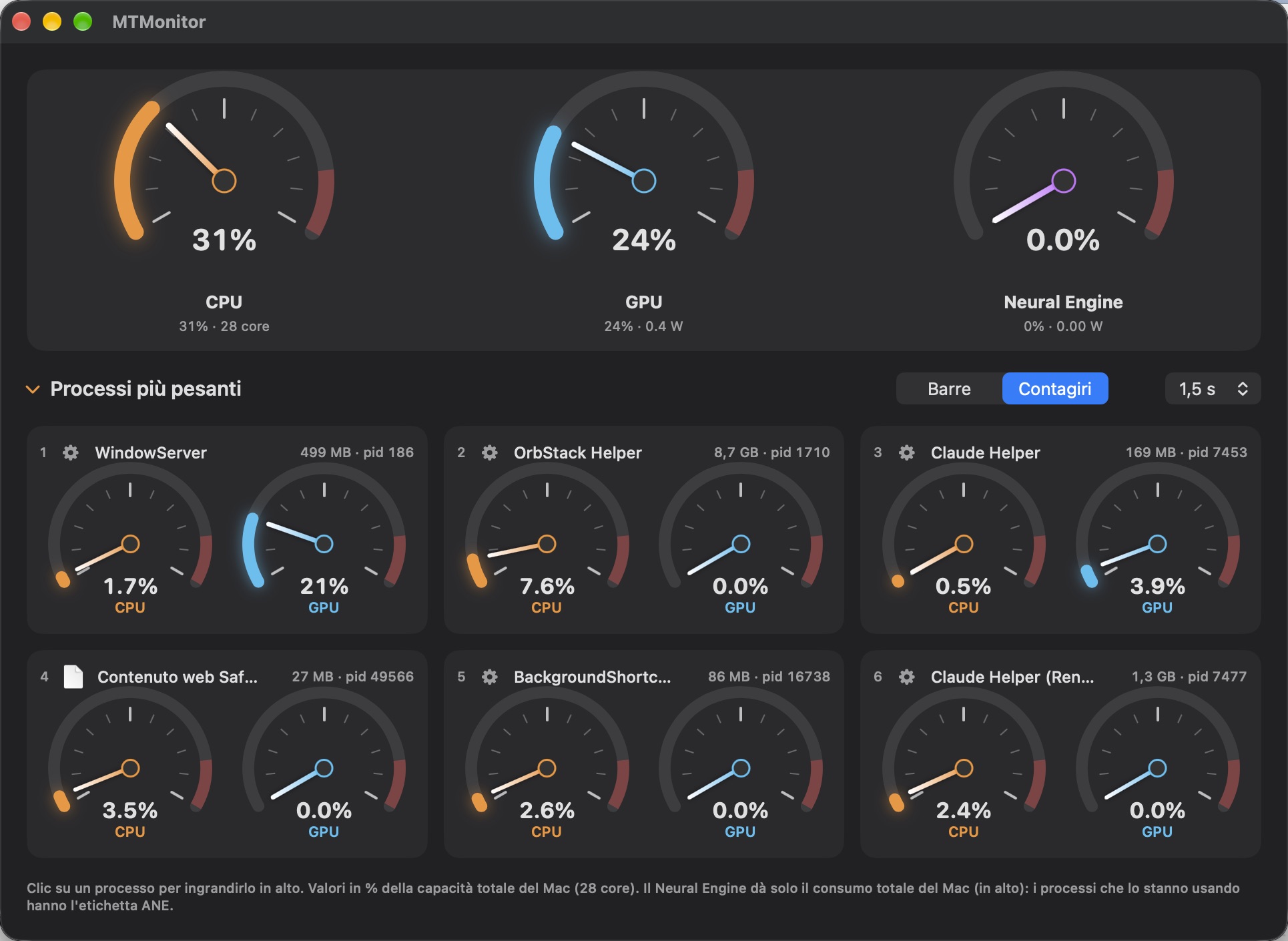
Your whole Mac in three gauges
CPU, GPU and Neural Engine as a share of total capacity, with cores and watts. The Neural Engine only reports the Mac's total: MTMonitor doesn't make up per-process values, it marks with «ANE» the processes using it.
02
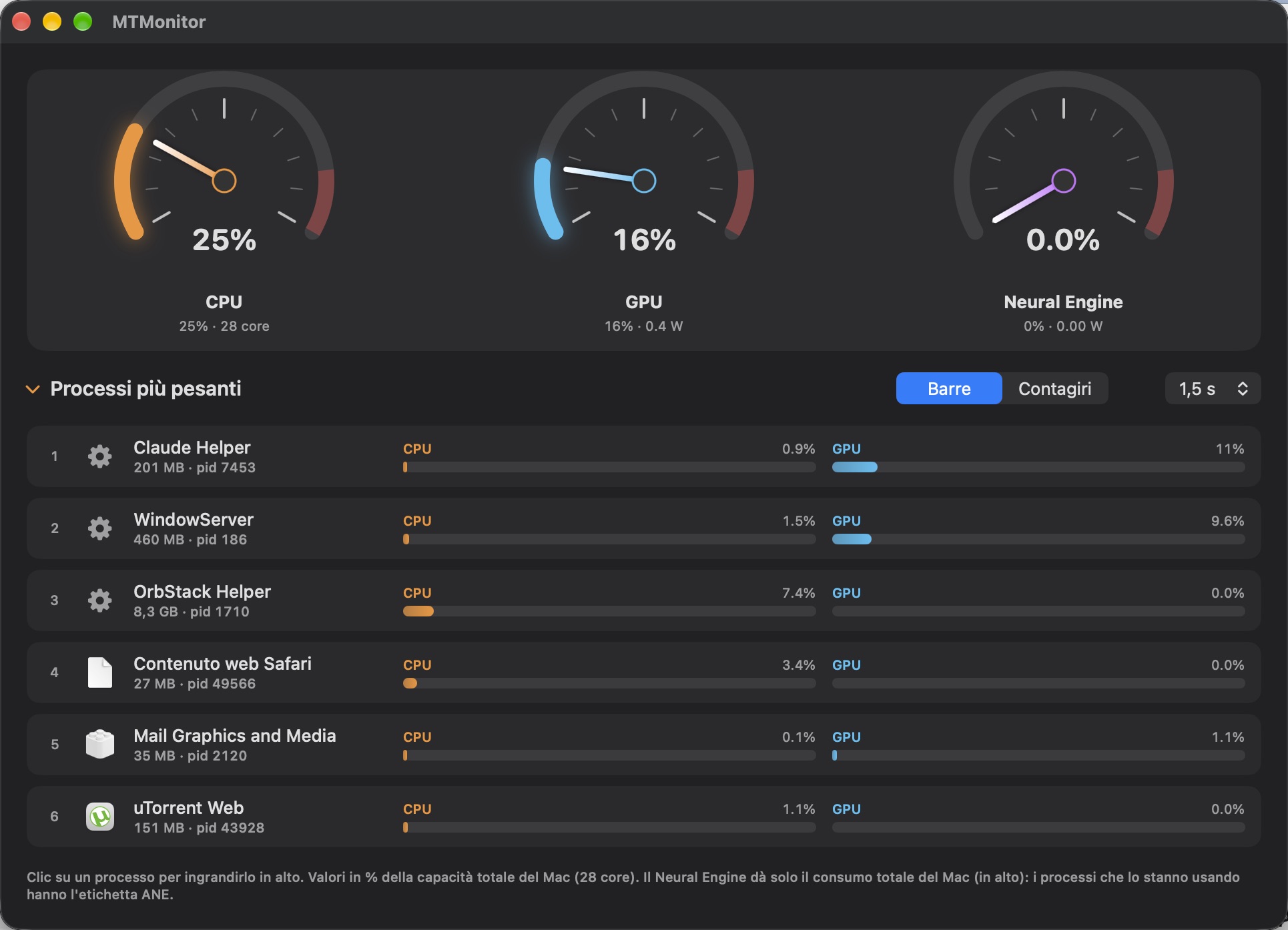
The heaviest processes
As bars or gauges, from 3 to 30 processes: CPU and GPU for each one, with memory and pid. The window fits itself to the number you choose.
Always ready, never in the way
- Menu bar icon with a mini panel of the top processes
- Stays running when you close the window or press ⌘Q: it quits only with «Quit»
- Opens by itself at login, with just the icon
- When you're not looking it stops sampling: no needless load